بجلی بل پر QR کوڈ سے سبسڈی رجسٹریشن کیسے کریں؟ — مکمل گائیڈ 2026
Electricity Bill Subsidy Registration via QR Code — Step-by-Step Guide Pakistan 2026
📅 مئی 2026🏛️ حکومت پاکستان🔗 PITC Portal⏱️ پڑھنے کا وقت: 5 منٹ
📌 یہ بلاگ کیوں پڑھیں؟
حکومتِ پاکستان نے بجلی سبسڈی کی تصدیق کے لیے ڈیجیٹل QR کوڈ سسٹم متعارف کروا دیا ہے۔ اگر آپ نے ابھی تک رجسٹریشن نہیں کی تو آپ کی سبسڈی بند ہو سکتی ہے۔ اس گائیڈ میں آپ کو پورا طریقہ step-by-step بتایا گیا ہے۔
📱 QR کوڈ بجلی سبسڈی رجسٹریشن کیا ہے؟
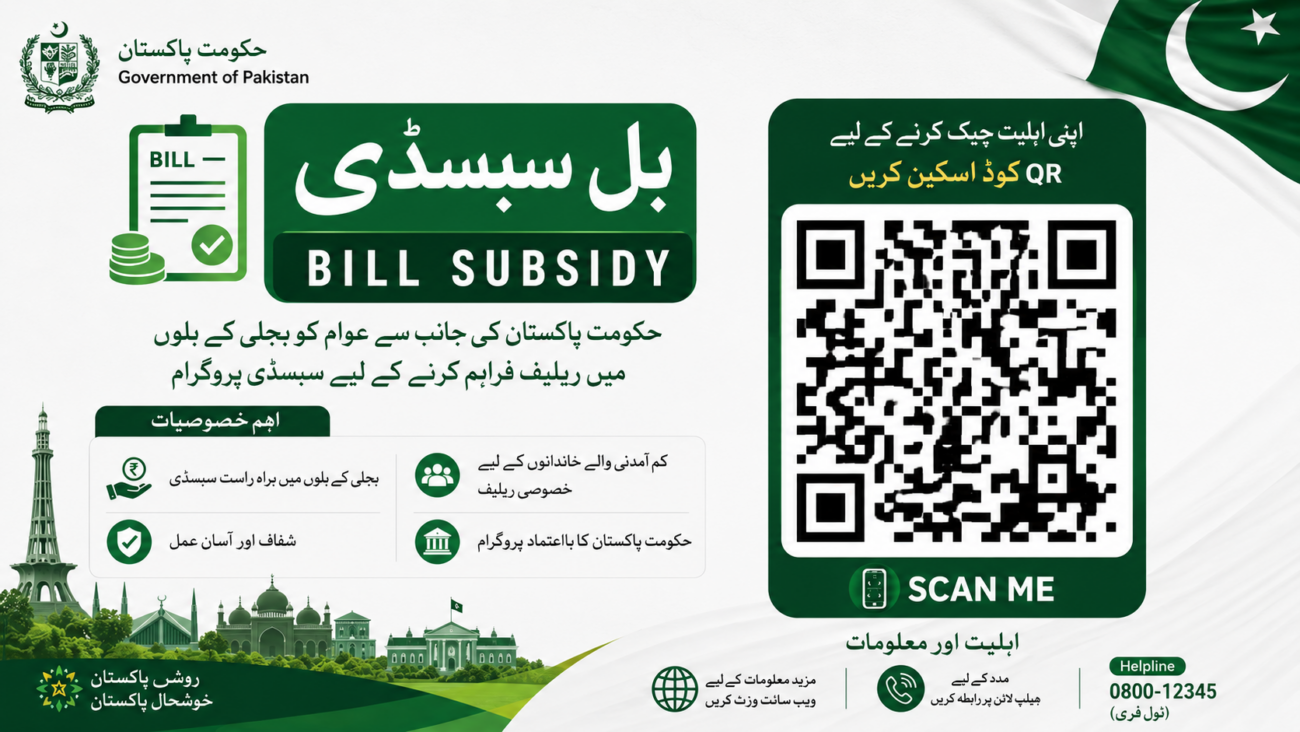
پاکستان میں بجلی کے بلوں پر اب ایک خاص QR کوڈ پرنٹ ہوتا ہے۔ اس کوڈ کو اسکین کرکے صارف PITC سبسڈی پورٹل پر آن لائن اپنی شناخت ثابت کرتا ہے۔ یہ سسٹم حکومت نے اس لیے شروع کیا تاکہ صرف اصل مستحق لوگوں کو سبسڈی ملے اور سرکاری فنڈز ضائع نہ ہوں۔
🏠
غریب خاندان
200 یونٹ تک استعمال کرنے والے
👩
BISP مستفید
بینظیر انکم سپورٹ پروگرام کے اراکین
⚡
محفوظ صارفین
Protected Category کے بجلی صارفین
💰
سبسڈی رقم
ماہانہ بل میں واضح چھوٹ
🎯 حکومت نے یہ سسٹم کیوں شروع کیا؟
پہلے سبسڈی روایتی بلنگ سسٹم کے ذریعے دی جاتی تھی، جس میں بعض اوقات غیر مستحق افراد کو بھی فائدہ پہنچتا تھا۔ اب پاور ڈویژن نے ڈیجیٹل QR بیسڈ تصدیقی عمل متعارف کروایا ہے تاکہ:
✅ سبسڈی صرف اہل خاندانوں تک پہنچے
✅ سرکاری پیسوں کا بہتر استعمال ہو
✅ سبسڈی کی رقم ہر بل پر واضح دکھائی دے
✅ شفافیت اور احتساب یقینی ہو
📋 اہلیت کے معیار — کون درخواست دے سکتا ہے؟
معیار
تفصیل
اہل؟
ماہانہ بجلی استعمال
200 یونٹ یا اس سے کم
✔
BISP مستفید
بینظیر انکم سپورٹ رجسٹرڈ
✔
محفوظ صارف
Protected Category میں رجسٹرڈ
✔
زیادہ استعمال
200 یونٹ سے زیادہ
✘
کمرشل کنکشن
صنعتی یا کاروباری استعمال
✘
📂 رجسٹریشن کے لیے ضروری دستاویزات
🗂️ یہ چیزیں پاس رکھیں:
📄 تازہ ترین بجلی کا بل (جس پر QR کوڈ چھپا ہو)
🪪 شناختی کارڈ نمبر (CNIC)
🔢 Consumer ID (بل پر موجود)
🔢 Reference Number (بل پر موجود)
📱 رجسٹرڈ موبائل نمبر (OTP کے لیے)
🪜 مرحلہ وار رجسٹریشن کا طریقہ
1
بجلی کا بل لیں اور QR کوڈ تلاش کریں
اپنا تازہ ماہانہ بجلی کا بل نکالیں۔ بل پر ایک چھوٹا سا QR کوڈ پرنٹ ہوگا — عام طور پر بل کے اوپری یا درمیانی حصے میں۔
2
موبائل کیمرہ سے QR کوڈ اسکین کریں
اپنے موبائل فون کا کیمرہ کھولیں اور QR کوڈ کو اسکین کریں۔ یہ آپ کو خودبخود PITC سبسڈی پورٹل پر لے جائے گا۔ براہ کرم صرف سرکاری لنک css.pitc.com.pk استعمال کریں۔
3
PITC پورٹل پر فارم بھریں
پورٹل کھلنے کے بعد درج ذیل معلومات درج کریں: اپنا CNIC نمبر، Consumer ID اور Reference Number۔ تمام معلومات بالکل درست لکھیں — ایک غلط ہندسہ بھی رجسٹریشن ناکام کر سکتا ہے۔
4
OTP سے موبائل نمبر تصدیق کریں
آپ کے رجسٹرڈ موبائل نمبر پر ایک OTP (ون ٹائم پاس ورڈ) آئے گا۔ اسے پورٹل پر درج کریں۔ OTP صرف چند منٹ کے لیے کارآمد ہوتا ہے، اس لیے فوری استعمال کریں۔
5
سسٹم اہلیت چیک کرے گا
OTP تصدیق کے بعد سسٹم خودبخود آپ کی بجلی کے استعمال کی تاریخ اور بلنگ کے ریکارڈ کی بنیاد پر اہلیت جانچے گا۔
6
رجسٹریشن مکمل — تصدیق محفوظ کریں
کامیاب رجسٹریشن کے بعد ایک تصدیقی پیغام ملے گا۔ اس کا اسکرین شاٹ لیں یا نمبر نوٹ کریں۔ اگلے ماہ کے بل سے آپ کی سبسڈی جاری رہے گی۔
⚠️ اہم انتباہ:
صرف سرکاری ویب سائٹ css.pitc.com.pk استعمال کریں۔ کسی بھی غیر سرکاری لنک، واٹس ایپ میسج یا تھرڈ پارٹی ایپ سے رجسٹریشن نہ کریں۔ اپنا CNIC اور OTP کسی کے ساتھ شیئر نہ کریں۔
💡 حکومت کی Raast QR سبسڈی اسکیم — اہم حقائق
🏦 Rs. 3.5 ارب کی سالانہ سبسڈی
حکومت نے Raast QR بیسڈ ڈیجیٹل پیمنٹس کو فروغ دینے کے لیے 3.5 ارب روپے کی سبسڈی منظور کی ہے۔ اس اسکیم کے تحت بینک، مائیکروفنانس بینک اور الیکٹرانک منی انسٹی ٹیوشنز ہر Raast QR ٹرانزیکشن پر 0.5 فیصد یا 100 روپے (جو بھی کم ہو) وصول کریں گے۔ یہ اسکیم ستمبر 2025 سے جون 2026 تک جاری ہے۔
❓ اکثر پوچھے جانے والے سوالات
کیا رجسٹریشن لازمی ہے؟
جی ہاں، سبسڈی جاری رکھنے کے لیے QR کوڈ کے ذریعے تصدیق ضروری ہے۔
QR کوڈ بل پر کہاں ہوتا ہے؟
عام طور پر ماہانہ بل کے اوپری یا درمیانی حصے میں پرنٹ ہوتا ہے۔
اگر پورٹل کام نہ کرے تو کیا کریں؟
اپنی متعلقہ بجلی تقسیم کار کمپنی (DISCO) کے ہیلپ لائن نمبر پر رابطہ کریں۔
سبسڈی کی رقم کیسے معلوم کریں؟
پاور ڈویژن کے مطابق سبسڈی کی صحیح رقم اب ہر ماہ بجلی کے بل پر واضح طور پر لکھی ہوگی۔
⚡ Official Government Scheme 2026
How to Register for Electricity Bill Subsidy via QR Code — Complete Step-by-Step Guide Pakistan 2026
PITC Portal | QR Code Verification | Electricity Relief Program 2026
📅 May 2026🏛️ Govt of Pakistan🔗 css.pitc.com.pk⏱️ 5 min read
📌 Why This Matters
The Government of Pakistan has launched a mandatory QR code-based digital verification system for electricity subsidy consumers. If you have not yet completed your registration, your subsidy may be discontinued. This guide explains the complete process clearly.
📱 What Is the QR Code Electricity Subsidy System?
The government introduced a digital verification system requiring subsidised electricity consumers to register through QR codes printed on their monthly bills. Consumers must scan this code, visit the official PITC subsidy portal, and verify their identity online. This ensures that only genuinely eligible households receive relief and prevents misuse of public funds.
🏠
Low-Income Households
Using 200 units or less per month
👩
BISP Beneficiaries
Registered in Benazir Income Support
⚡
Protected Consumers
Registered under Protected Category
💰
Subsidy Amount
Clearly shown on monthly bill
📋 Eligibility Criteria
Criteria
Detail
Eligible?
Monthly Consumption
200 units or below
✔
BISP Beneficiary
Registered in BISP
✔
Protected Consumer
Registered in Protected Category
✔
High Usage
Above 200 units per month
✘
Commercial Connection
Business or industrial use
✘
📂 Documents Required
🗂️ Keep these ready:
📄 Latest Electricity Bill (with QR code printed on it)
🪪 CNIC Number (National ID Card)
🔢 Consumer ID (printed on bill)
🔢 Reference Number (printed on bill)
📱 Registered Mobile Number (for OTP verification)
🪜 Step-by-Step Registration Process
1
Get Your Latest Electricity Bill & Locate the QR Code
Take your most recent monthly electricity bill. Look for a small QR code printed on it — usually in the upper or middle section of the bill.
2
Scan the QR Code with Your Mobile Camera
Open your mobile phone camera and scan the QR code on the bill. It will automatically redirect you to the official PITC subsidy portal. Only use the official link: css.pitc.com.pk
3
Fill in the Registration Form
On the PITC portal, enter your CNIC number, Consumer ID, and Reference Number. Enter all details carefully — even one wrong digit can cause a registration error.
4
Verify Your Mobile Number via OTP
An OTP (One-Time Password) will be sent to your registered mobile number. Enter it on the portal promptly, as OTPs expire within a few minutes.
5
System Checks Your Eligibility Automatically
After OTP verification, the system automatically checks your eligibility based on your electricity usage and billing history.
6
Registration Complete — Save Your Confirmation
Upon successful registration, a confirmation message will appear. Take a screenshot or note the confirmation number. Your subsidy will continue from the next month’s bill.
⚠️ Important Warning:
Only use the official website css.pitc.com.pk. Never register through unofficial links, WhatsApp messages, or third-party apps. Do not share your CNIC or OTP with anyone.
💡 Raast QR Subsidy Scheme — Key Facts
🏦 Rs. 3.5 Billion Annual Subsidy Approved
The Government of Pakistan has approved a Rs. 3.5 billion subsidy to promote Raast QR-based digital payments. Banks, microfinance banks, and Electronic Money Institutions will receive 0.5% of each Raast QR transaction or Rs. 100 per transaction, whichever is lower. The scheme runs from September 2025 to June 2026, supporting an estimated Rs. 700 billion in annual merchant transactions.
❓ Frequently Asked Questions
Is QR code registration mandatory?
Yes. For protected and low-income consumers, QR verification is required to continue receiving subsidy benefits.
Where is the QR code on the bill?
It is usually printed in the upper or middle section of your monthly electricity bill.
What if the portal is not working?
Contact your relevant electricity distribution company (DISCO) helpline for technical assistance.
How can I see my subsidy amount?
The Power Division has confirmed that the exact subsidy amount is now clearly printed on each monthly electricity bill.